

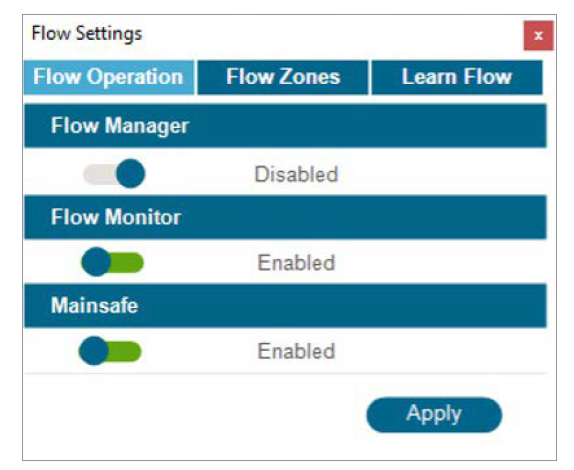
The two major parts of Flow Operation are the Flow Manager and the Flow Monitor.
- Flow Manager: The Flow Manager uses station flow information to operate multiple stations simultaneously, aiming to achieve a flow rate target specified by the user. It will turn on as many stations as possible to stay at or near the flow target until there are no more stations to operate. This does not require a flow sensor input.
- Flow Monitor: The Flow Monitor verifies that actual flow matches the learned flow for all running stations and performs diagnostics or shutdowns when alarms occur. The Flow Monitor requires one or more flow sensor inputs to operate, and at least one Master Valve per flow sensor to be effective. At the Flow Operation menu, click the toggle button to enable/disable the Flow Manager and/or Flow Monitor, if desired.
- Enable MainSafe: Enable MainSafe has its own checkbox. MainSafe is a special function for higher-level flow monitoring and mainline protection.
A flow zone defines a section of pipe and a group of stations attached to that pipe, which are managed as a hydraulic unit. Flow zones are used for both the Flow Manager and Flow Monitor.
The Flow Monitor requires the following actions to operate correctly:
- Install and set up a flow sensor (Devices menu).
- Install and set up a P/MV (Devices menu).
- Set up a flow zone and complete all information for the flow zone
- Attach each station to a flow zone (Station Settings menu).
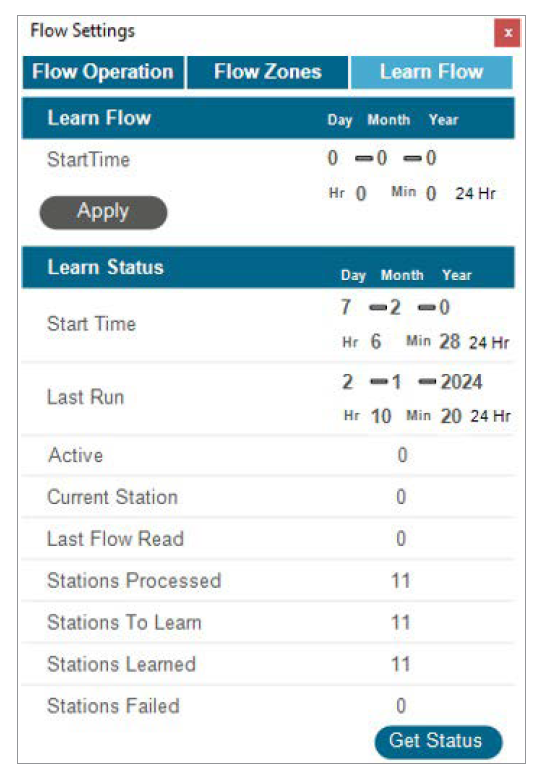
- Learn flow for all stations with run times (Learn Flow menu).
Flow learning will only test stations that already have a run time in a program. Flow learning will cancel all other irrigation (automatic and manual) until the learning is complete. Flow cannot be learned while other stations are running for other reasons. Confirm status to verify that stations are ready to learn. This will show how many stations have run times and how many already have flow rate data.
Still need help? We're here.
Tell us what you need support with and we'll find the best solution for you.