

Included Components:
- Receiver
- Transmitter
- SmartPort® Wiring Harness
- 4 AAA Batteries
- Carrying Case
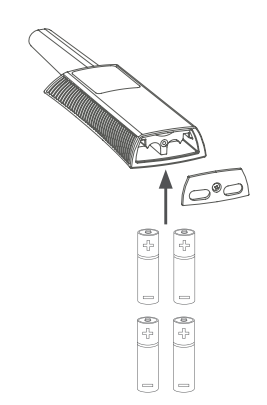
Installing Batteries
- Using a Phillips screwdriver, install the four AAA batteries.
Transmitter/Receiver Pairing
- Press and hold the Blue Mode button until the key appears.
- Ensure that the transmitter Address is set to the desired address.
- Plug the receiver into a SmartPort® connected to a powered controller.
- Listen for Four Beeps, pause, and then Two Additional Beeps to confirm pairing.
- Pairing is complete.
Still need help? We're here.
Tell us what you need support with and we'll find the best solution for you.