

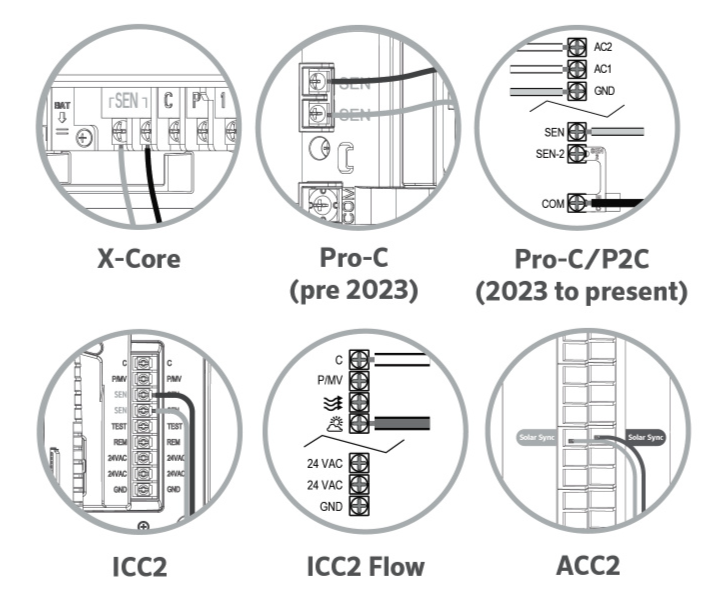
All current Hunter controllers are programmed with Solar Sync technology and, therefore, do not require the use of the Solar Sync module. Both wired & wireless Solar Sync sensor connections to the controller are made using the black and green wires. Connect to the appropriate sensor inputs as shown. For X-Core, Pro-C (pre-2023), ICC2, and ICC2F controllers, remove the jumper before wiring the sensor.
Mount the Wireless Receiver on the controller cabinet using an available knock-out and secure with the supplied conduit nut. Or, use the supplied brackets to mount the Wireless Receiver on the wall, similar to the Pro-C installation shown on page 8. Depending on the installation, the supplied 1.5" (3.8 cm) extender may be required. Route the wires from the Wireless Receiver into the controller cabinet.
- Make sure the power to the controller is turned off.
Route the wires from the Solar Sync sensor into the controller cabinet.
- Make sure the power to the controller is turned off.
Still need help? We're here.
Tell us what you need support with and we'll find the best solution for you.