

This article has all the steps for programming the station and pump/mastervalve decoders using the EZ decoder system. The Hunter Model EZ-DM Decoder Output Module and decoders are only used with ICC2 and HCC Model controllers.
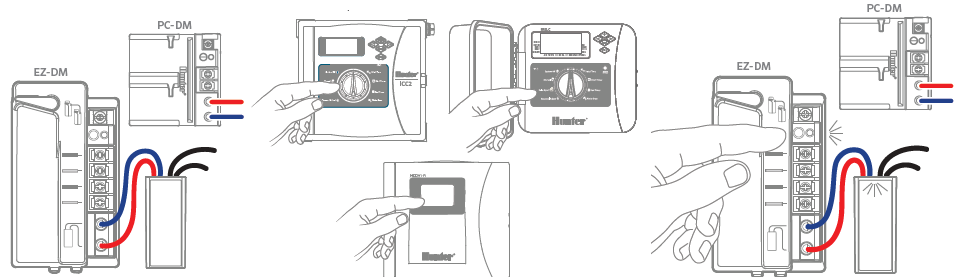
Station Decoder
- Insert EZ-LR red and blue wires in the programming ports on the EZ-DM or PC-DM Output Module.
- Use controller face panel (or remote control, if so equipped) to manually start the station number you want to program into
the decoder. - When station is running, press the PRG button on the Decoder Output Module. The decoder is programmed when the LED
flashes. Write station number on the decoder label with a permanent marker.
IMPORTANT: Do not use duplicate addresses in the same controller.
P/MV Decoder
- With no stations running, connect decoder to port and press on the Decoder Output Module.
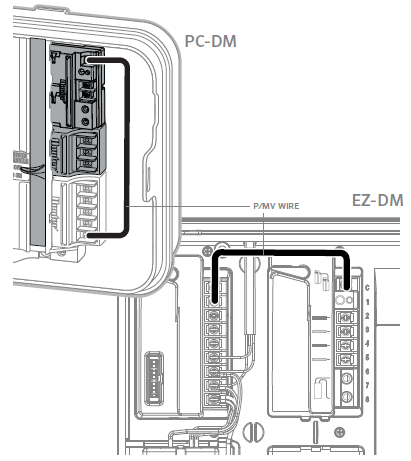
- Connect jumper wire from P/MV on controller power module to P/MV terminal on decoder output module.
- Install MV decoder on two-wire path.
Still need help? We're here.
Tell us what you need support with and we'll find the best solution for you.