

A high-energy lithium battery (CR2032 3V) is included with your X-Core controller. The battery allows the user to remotely program the controller without connecting AC power. It is also used to keep the current time and day during power outage conditions.
IMPORTANT: For new controllers, make sure to remove the battery contact insulator to allow the X-Core to keep time in the event of a power outage
Replacing the Battery
- Remove the screw from the battery holder.
- Slide the battery holder down to access the battery.
- Remove and replace the new battery into the battery holder and reinstall the battery holder.
IMPORTANT:This positive(+) side of the battery should face the inside of the battery holder.
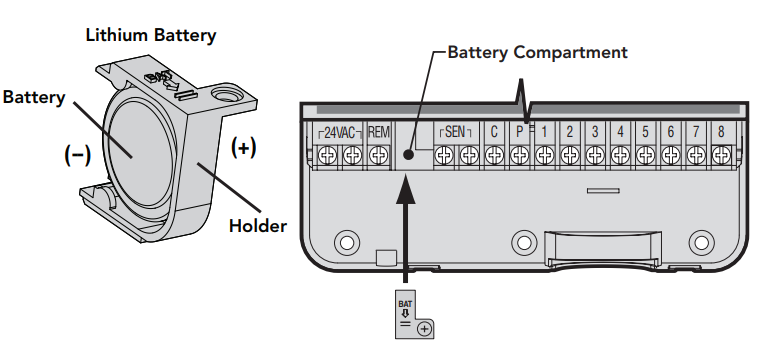
- Battery
- Holder
- Battery Compartment
Still need help? We're here.
Tell us what you need support with and we'll find the best solution for you.