

When installing nozzles, you must also correctly set the stator to ensure proper speed of rotation. Failure to correctly set the stator may cause a non-rotation condition.
- Remove the riser assembly from the body by turning counterclockwise on the body cap.
- Remove the filter screen to access the stator by pulling outward.
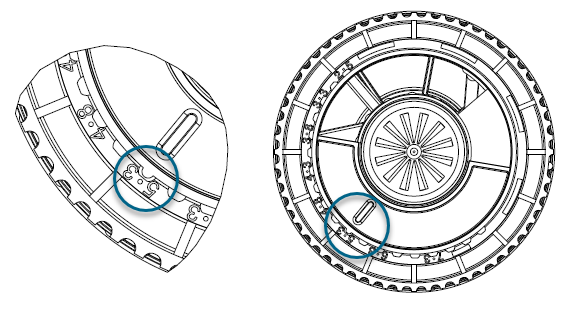
- The stator has a protruding tab that aligns with a pointer. Remove the stator by grasping this tab with pliers and pulling outward.
- Replace the stator so the pointer is set to the number with the nozzle number installed.
- Visually check for proper assembly of nozzles, set screws, and stator. Reverse the preparation procedure to reassemble the unit.
| Nozzle/Stator Chart | |
|---|---|
| Nozzle Number | Stator Position |
| 33 | 33 |
| 38 | 38 |
| 43 | 43 |
| 48 | 48 |
| 53 | 53 |
| 63 | 63 |
Still need help? We're here.
Tell us what you need support with and we'll find the best solution for you.