

The Pro-C® model controller must be a model with a date code of March 2014 or newer. This date code is written on the white sticker inside the wiring compartment. Ensure you have a strong Wi-Fi signal. Wi-Fi connectivity can be tested on the HPC panel (signal strength is shown when selecting a wireless network). Please verify all Wi-Fi specifications if you have any issues connecting the controller to the router. Learn More
| P2C-400 | PC-400 | PC-300 (Not Compatible) |
|---|---|---|
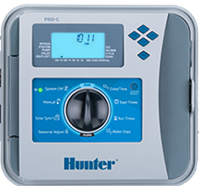 | 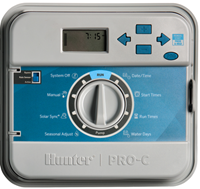 | 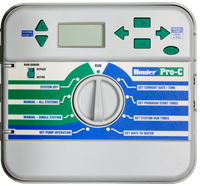 |
Remove Pro-C Face Panel
- Turn the power off using the slide bar inside the wiring compartment.
- Remove the ribbon cable.
- Press down on the white hinge release button.
- Remove face panel.
Install HPC-FP Face Panel
- Press the blue hinges together and attach a new HPC panel.
- Reconnect the ribbon cable.
- Close the panel and turn the power on.
Still need help? We're here.
Tell us what you need support with and we'll find the best solution for you.