

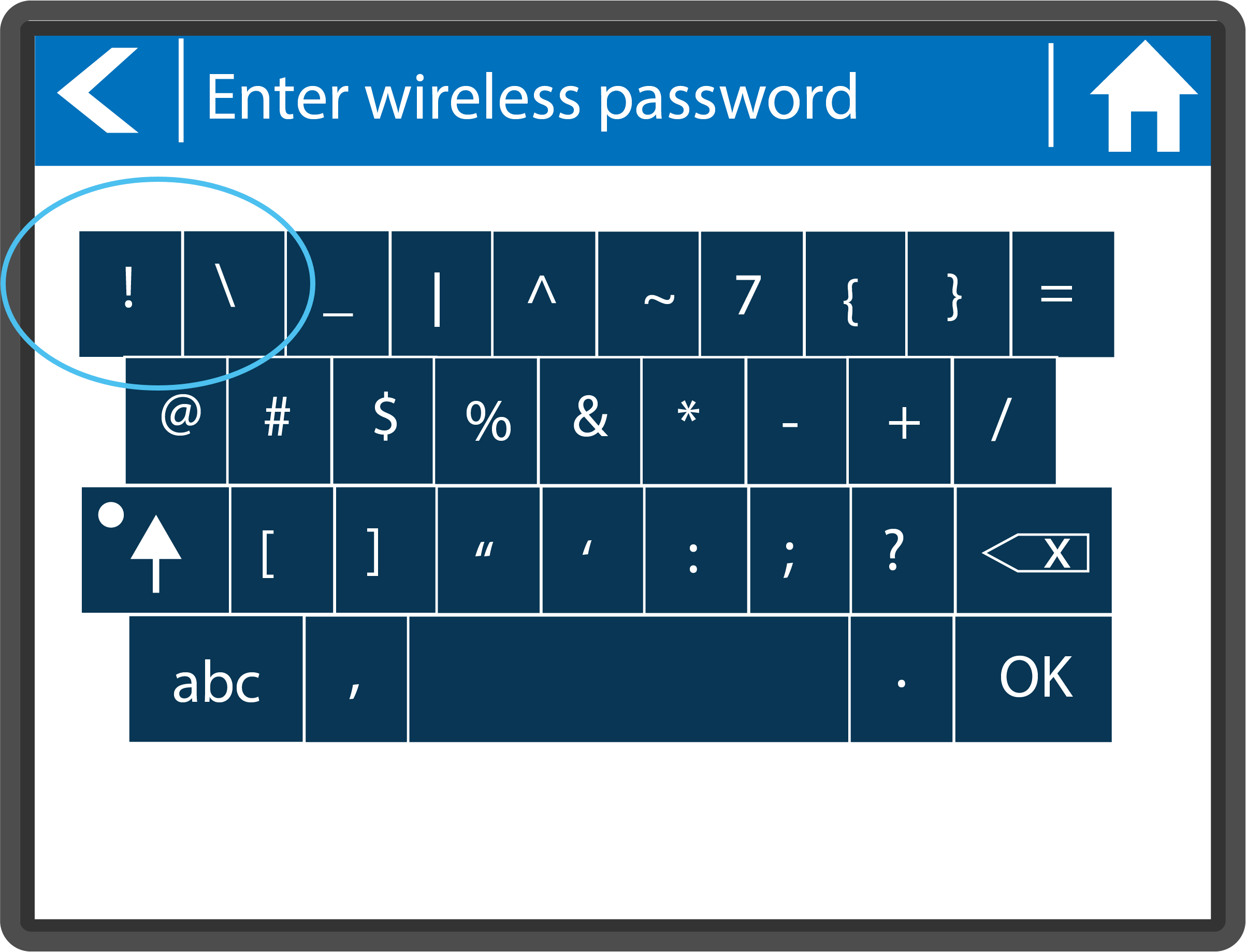
If your having trouble locating the exclamation mark (!) on the controller screen, please follow the simple steps below when setting up your password.
- From Home screen, select Settings.
- Select Wireless.
- Select Password.
Select the ?123 button.
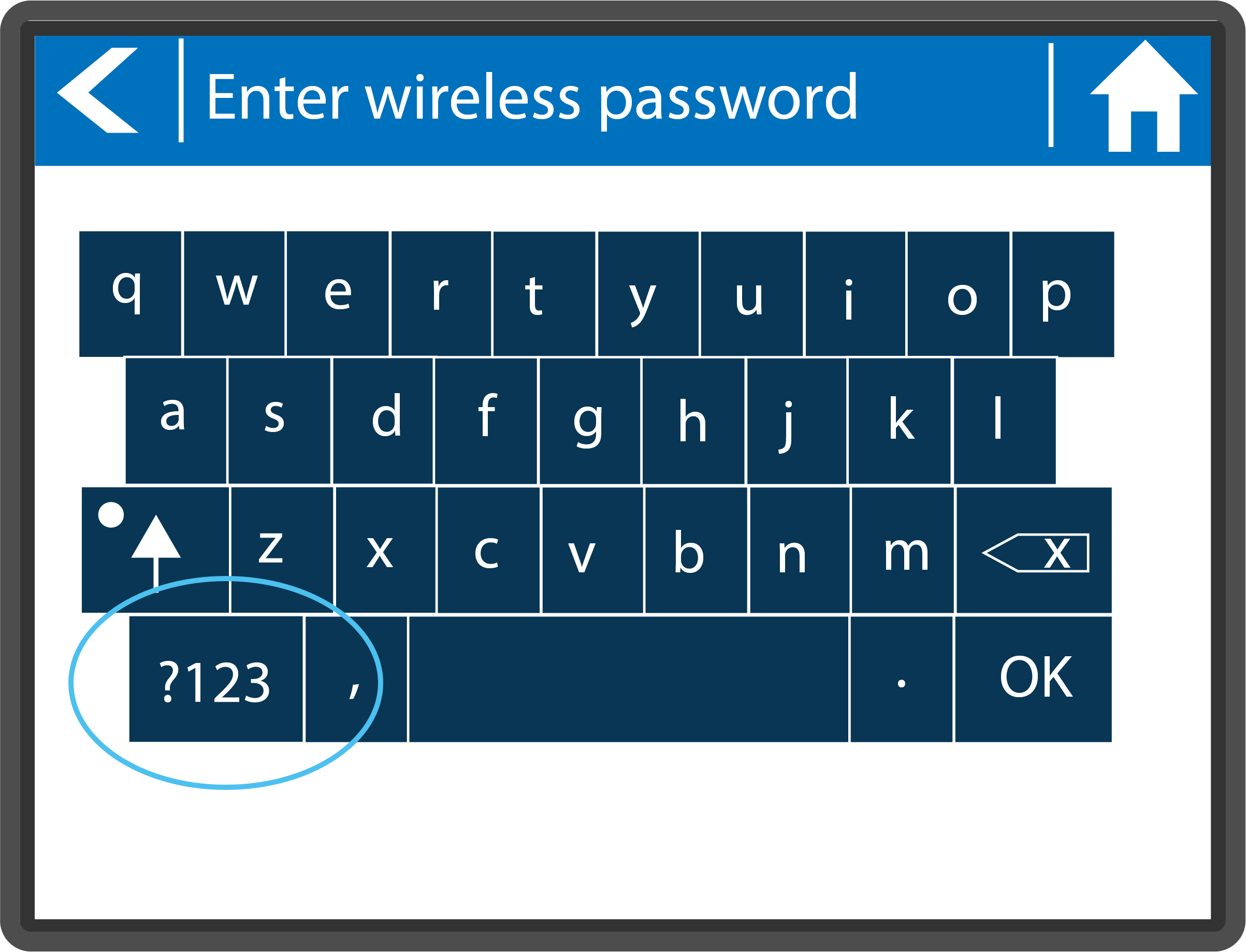
Select the Arrow button.
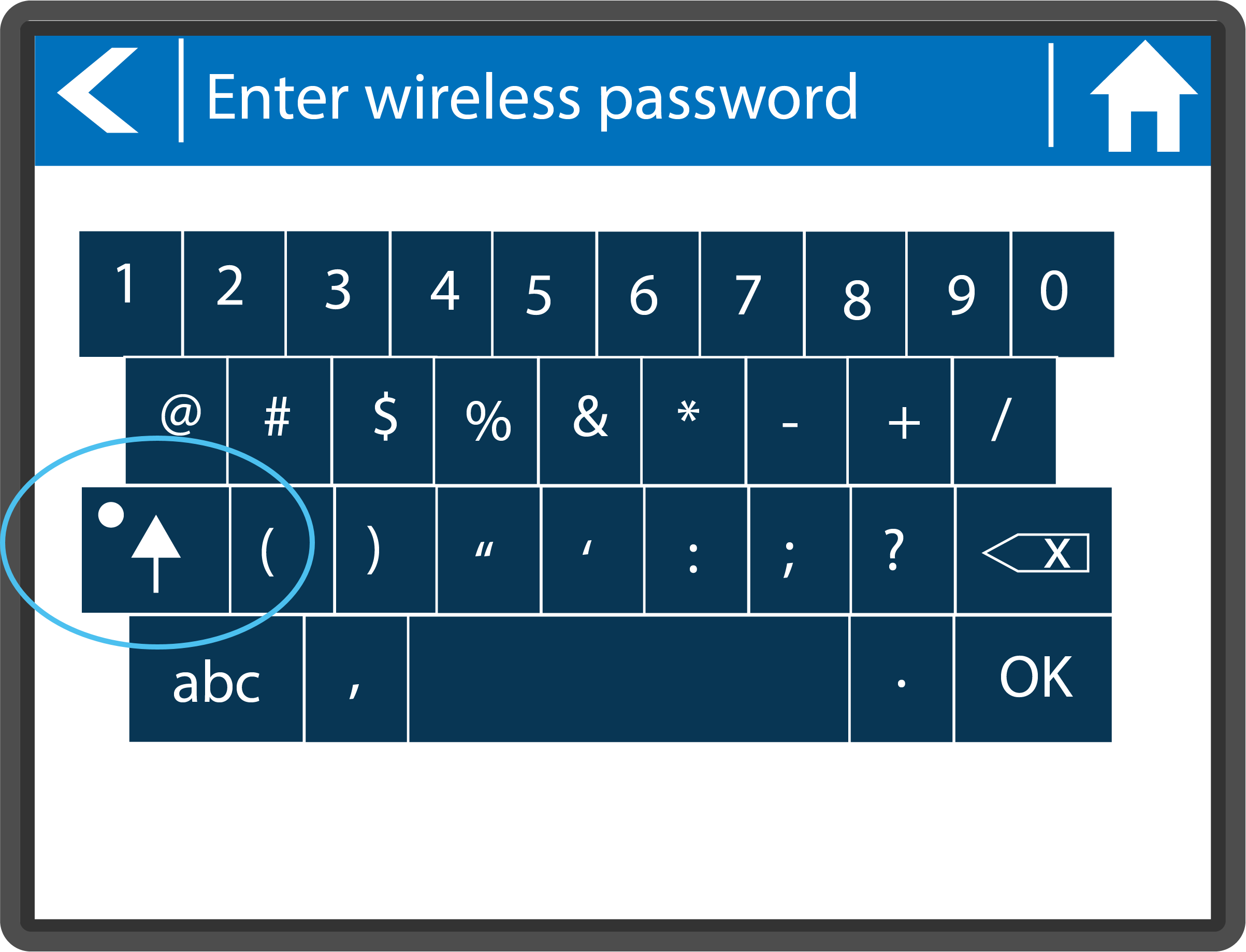
The Exclamation Mark (!) will appear on the upper left-hand side.
Hala yardıma ihtiyacın var mı? Buradayız.
Bize hangi konuda desteğe ihtiyacınız olduğunu söyleyin, biz de sizin için en iyi çözümü bulalım.