

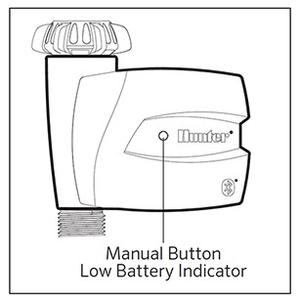
BTT-100 (BTT-101) Model: Pressing the manual button will allow the controller to run for 30 minutes, then shuts off watering.
BTT-200 (BTT-201) Model: Pressing the manual button will allow the controller to run for a maximum of 60 minutes (default run time 30 minutes), then shuts off watering.
For changing the manual button run time on the two-station BTT, review the app steps below:
- Select the SCHEDULE icon at the bottom.
- Select SETTINGS gear in the upper right.
- Select a ZONE to make manual run time change.
- Select MANUAL RUN TIME. Settings range from 1 minute to 12 hr 59 minutes.
- Adjust run time and select SAVE.
- The controller will activate for the run-time set when the button is pressed.
Brauchen Sie noch weitere Unterstützung? Wir stehen Ihnen jederzeit zur Seite.
Teilen Sie uns mit, in welchem Bereich Sie Unterstützung benötigen, und wir finden die beste Lösung für Sie.